Free NinjaTrader 8 Indicators
Open-source trading tools by PhillyFrank
MIT License - Free ForeverStrategies
Read this before you download a strategy
These are not indicators. Each download contains a strategy that places real orders on whatever account you attach it to, and an indicator that tells you a direction, an entry price, a stop and a target. Both are trade signals in every sense that matters. Treat them that way.
- The pass rates on this page are simulated, and they are not a track record. They come from simulated evaluation accounts filled by NinjaTrader's simulator, not from money at risk. Simulated fills do not model slippage, queue position, partial fills, rejected orders or a thin book, and they never miss a fill that a real broker would have missed. Results like these are also produced with the benefit of hindsight over the very period used to measure them. No claim is made or implied that any account will achieve results like these.
- Most of these strategies failed. Across all 43 arena strategies, 88 of 326 attempts passed — about 27%. Even the three published here failed more evaluations than they passed, or close to it. The full final table shows every result, including the ones that went 0 for 6.
- The samples are too small to rank. Ten to twenty-four attempts each means the difference between a 46% strategy and a 37% one is statistical noise. Do not read the ordering as a quality ranking, and do not expect any of these rates to repeat.
- Automation can breach your funding agreement. Most prop firms restrict or prohibit fully automated trading on evaluation and funded accounts, and the rule is theirs to change without telling you. That is why each download includes a manual indicator. Read your own contract; a rule violation can cost you the account regardless of whether you were profitable.
- The account guard is not a safety net. It only knows about orders it placed itself. It cannot see trades you take by hand, it depends on values you configure correctly, and like any software it can fail. It is not a substitute for reading your account rules.
Nothing here is financial advice. PhillyFrank is not a registered investment adviser, commodity trading advisor, or broker, and nothing on this site is a recommendation to buy or sell anything or a solicitation to trade. These files are published for education and research. Trading futures carries a substantial risk of loss, is not suitable for every investor, and you can lose more than you deposit. Past performance — simulated performance especially — does not indicate future results.
You are responsible for every order that reaches the market from your machine. Test in simulation first, for long enough to see the strategy lose, and never run anything here on money you cannot afford to lose.
Trend Pullback B Strategy + Indicator
"The best strategy of the arena, plus the indicator that lets you trade it by hand."
Trend Pullback B finished the Eval Arena with the best record in a field of 32: 20 simulated $50K evaluation attempts, 9 passed, 11 failed - 45%, between 8 July and 17 September 2026. It ships with a manual signal indicator, because most funding companies will not let a robot trade their account. The indicator marks the setup, prices the entry, the stop and the target, and places no orders - you do.
- One set of rules, two halves - the strategy calls the indicator for its signals, so the chart cannot drift away from what the strategy does
- Entry is a limit 25% back inside the trigger bar, live for one bar only - a setup that never comes back is declined, not chased
- ATR-scaled bracket: stop 1.5 x ATR(14) clamped 15-40 points, target 2R
- Hard clock rules compiled in: no new entry from 15:30 ET, flat at 15:45 ET
- Account guard for funded rules: profit target, trailing drawdown, daily loss limit, and a resting limit exit that banks the target at an exact price
- Three presets in one file - Variant B European, Variant A Asian, Variant A US
- Includes CLAUDE.md and AGENTS.md so an AI coding tool inherits the invariants instead of breaking them
VWAP Reclaim Strategy + Indicator
"Price leaves VWAP, then takes it back. The reclaim is the trade."
A bar closes clear of the session VWAP by 5 points, then closes back through it by 3 within 30 bars - and the reclaim is entered in its own direction. 13 simulated $50K evaluation attempts on the Asian session, 6 passed, 7 failed - 46.2%, between 23 July and 17 September 2026. Like every strategy here it ships with a manual signal indicator, because most funding companies will not let a robot trade their account.
- One set of rules, two halves - the strategy calls the indicator for its signals, so the chart cannot drift away from what the strategy does
- The panel walks the state machine with you: broke below, reclaim above 24291.50 for a long, 21 bars left
- Plots the session VWAP the setup is actually measured against - window-anchored, not a 24-hour VWAP
- Two presets in one file - Asian with no ATR filter, US with the 15-30 ATR band
- Entry is a limit 25% back inside the trigger bar, live for one bar only - a reclaim that never comes back is declined, not chased
- Account guard for funded rules: Sim, Eval or Off, plus a resting limit exit that banks the profit target at an exact price
- Includes CLAUDE.md and AGENTS.md so an AI coding tool inherits the invariants instead of breaking them
Donchian Breakout Strategy + Indicator
"Break the channel, but only with the higher timeframe behind you."
A close beyond the highest high or lowest low of the previous 30 bars, taken only in the direction the 5-minute EMA stack already points. 24 simulated $50K evaluation attempts, 9 passed, 15 failed - 37.5%, between 6 July and 18 September 2026. The US session entry in the set, and like the others it ships with a manual signal indicator so it can be followed where automation is not allowed.
- One set of rules, two halves - the strategy calls the indicator for its signals, so the chart cannot drift away from what the strategy does
- Plots the channel and tells you what is gating what: 5m trend direction, which sides are armed, and why a break was skipped
- A stop-out disarms that direction until price trades back through the channel midpoint
- The 5-minute trend gate fails closed - not enough history means no trade, never a free pass
- Entry is a limit 25% back inside the trigger bar, live for one bar only - a break that never comes back is declined, not chased
- Account guard for funded rules: Sim, Eval or Off, plus a resting limit exit that banks the profit target at an exact price
- Includes CLAUDE.md and AGENTS.md so an AI coding tool inherits the invariants instead of breaking them
The Arena Is Closed
"One winner per session. That is the whole set."
Forty-three strategies ran simulated $50K evaluations on the live broadcast for ten weeks. Three are published above - the best of each session: VWAP Reclaim for the Asian hours, Trend Pullback B for the European, Donchian Breakout for the US. The rest of the field did not earn a place, and the full final table shows exactly how each one did.
- Native NinjaScript strategy files - no external dependencies
- The exact logic competing on the Eval Arena scoreboard
- Session-aware: Asian, European, and US variants
- Free and open source, like everything else in the Shed
Session & Time Tools
WorldClock
"Which markets are ACTUALLY open right now - and why?"
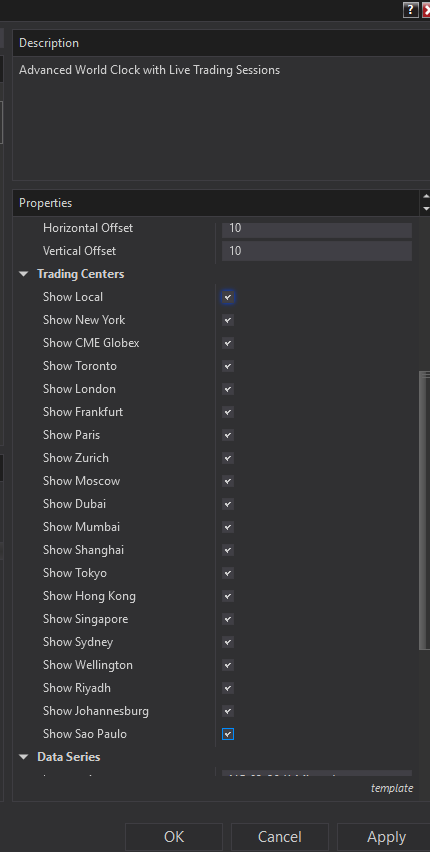
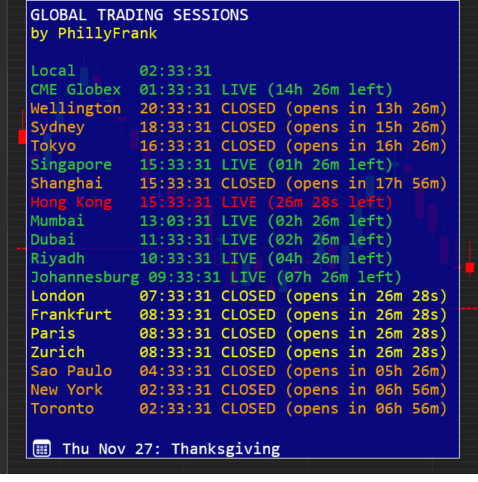
A full market-calendar engine embedded in NinjaTrader. Not just a clock - it's 5 years of validated holiday logic (2026-2030) for 18+ global exchanges.
- Real-time LIVE/CLOSED/MAINTENANCE status for NYSE, CME, LSE, JPX, and more
- CME Globex handled correctly: Sunday opens, evening re-opens, early closes
- Countdown timers to next session transition
- Holiday awareness with same-day and next-day alerts
- DST boundary handling for US and international markets
LocalClock
"I just need to see the time - on the chart - without leaving my workspace."
When NinjaTrader charts go fullscreen or overlap the taskbar, the system clock disappears. This indicator puts the time back where traders can actually see it.
- Clean, always-visible digital clock directly on your chart
- Multiple timezone support (Local, UTC, or custom)
- 12-hour or 24-hour format with optional seconds
- Flexible positioning: top/center/bottom, left/center/right
- DirectX rendering - no flicker, no lag
FloatingLocalClock
Draggable floating clock overlay showing multiple time zones on your chart.
- Display local time and up to 3 additional time zones
- Draggable positioning anywhere on chart
- Customizable colors and font
FloatingBarTimer
Shows countdown timer for current bar completion, floating near the active bar.
- Supports Tick, Minute, and Second chart types
- Floats dynamically near current bar
- Customizable font and positioning
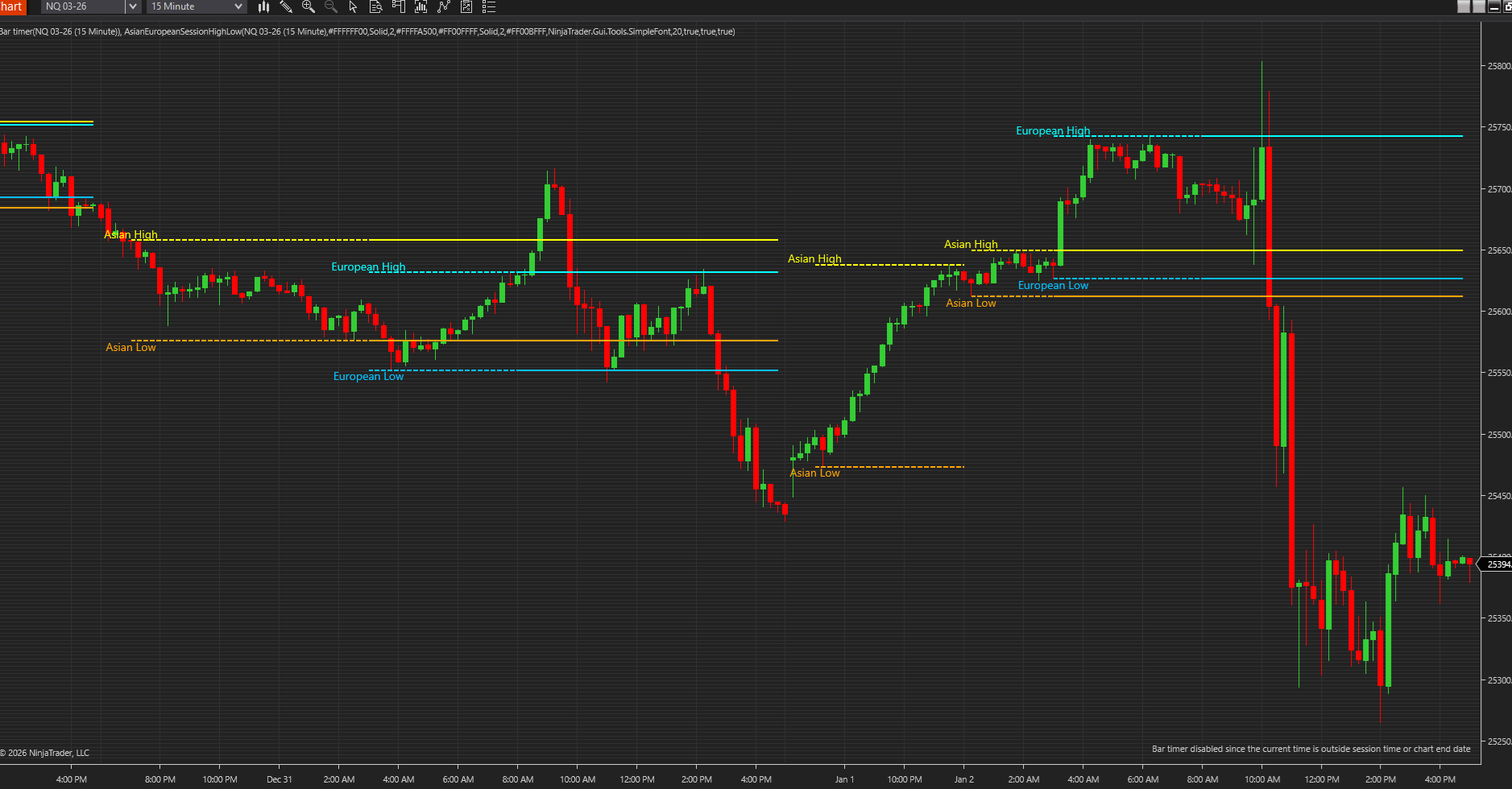
AsianEuropeanNYSessionHighLow
"If you're trading without knowing where Asia, Europe, and NY actually did business, you're trading blind."
Precisely tracks and plots true Asian (7pm-3am ET), European (3am-8am ET), and New York (9:30am-4pm ET) session highs/lows using CME Globex trading-day logic, not naive calendar days.
- All three major sessions tracked: Asian, European, and NY
- CME Globex 5:00 PM ET trading-day rollover handled correctly
- Dashed lines while session develops, solid when complete
- Sunday evening opens and overnight sessions handled
- Fully configurable colors, widths, styles, and labels per session
- Exposes values programmatically for strategies/scanners
Analysis Tools
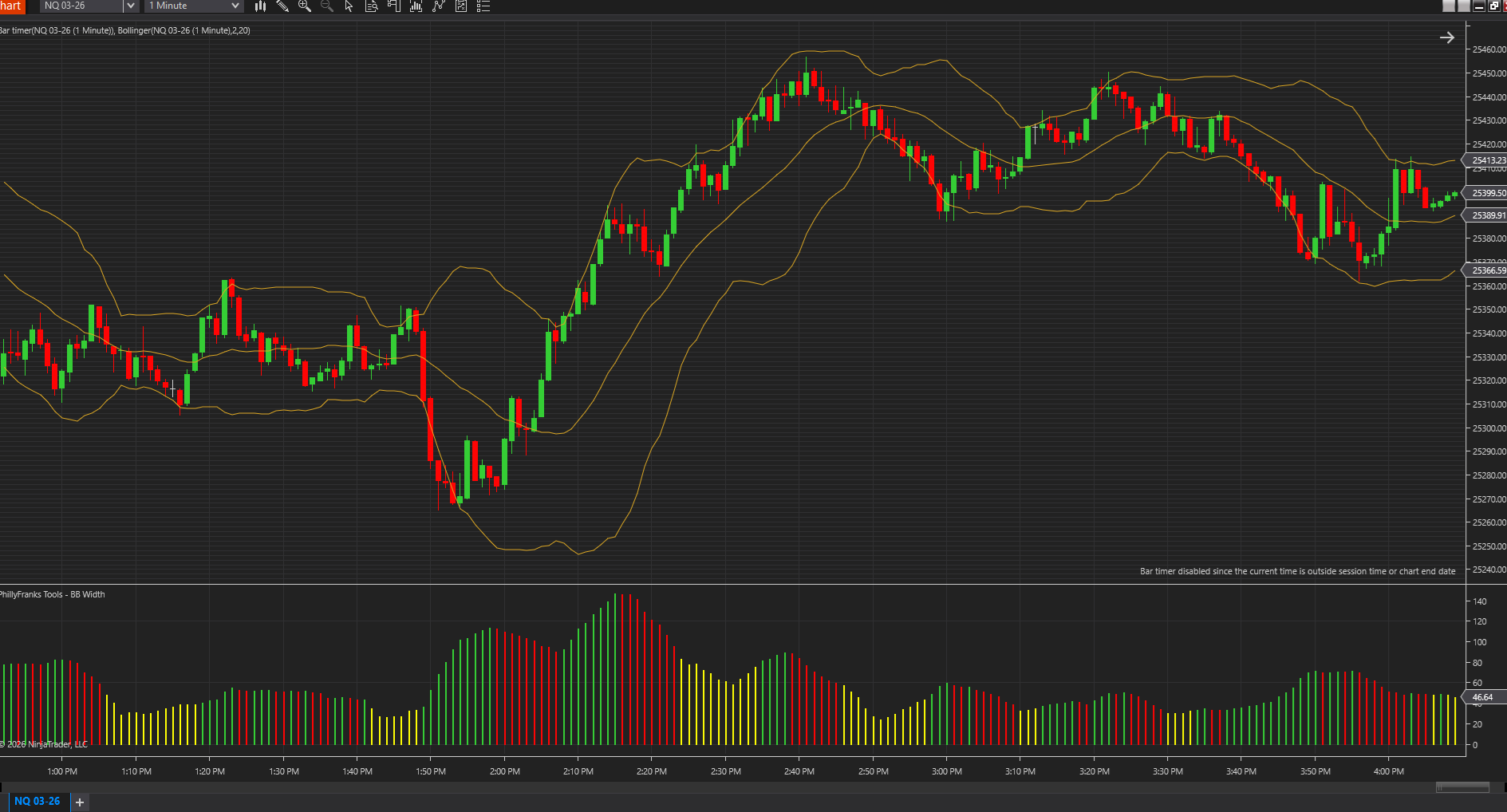
BollingerBandWidth
"Volatility tells the truth before price does."
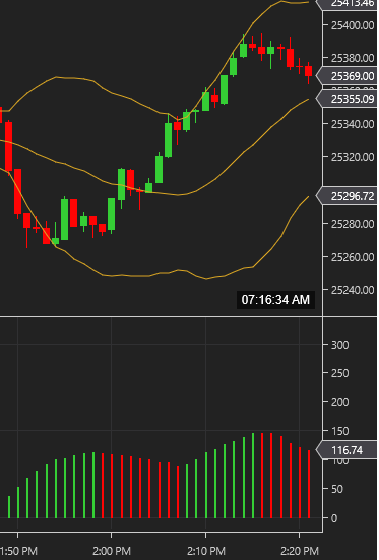
A volatility state engine - not just a histogram. Measures true distance between Bollinger Bands and visualizes expansion, contraction, and squeeze conditions with clean color logic.
- Dynamic coloring: Green (expanding), Red (contracting), Yellow (squeeze)
- Intelligent squeeze detection using rolling average, not hardcoded magic numbers
- Works on tick, minute, and range charts
- Display as histogram bars or line graph
- Keltner Channel squeeze method available
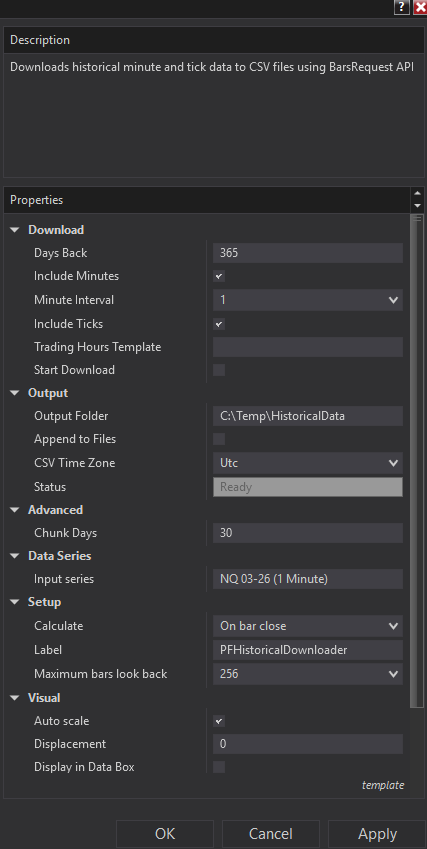
PFHistoricalDownloader
"If your edge depends on clean historical data, this tool exists for you."
A data pipeline component that extracts historical minute and tick data directly from NinjaTrader's data engine to clean, analysis-ready CSV files.
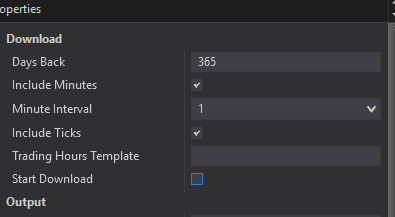
- Downloads minute bars (1m/5m/15m) and tick data via official BarsRequest API
- Chunked, throttled requests - safely pull months or years of data
- Clean CSV output: Unix timestamps (ms), ISO-8601, OHLCV
- Respects instrument trading hours, prevents phantom bars
- Thread-safe file writing, automatic retry tolerance
AddOns
ChartExportAddOn AddOn
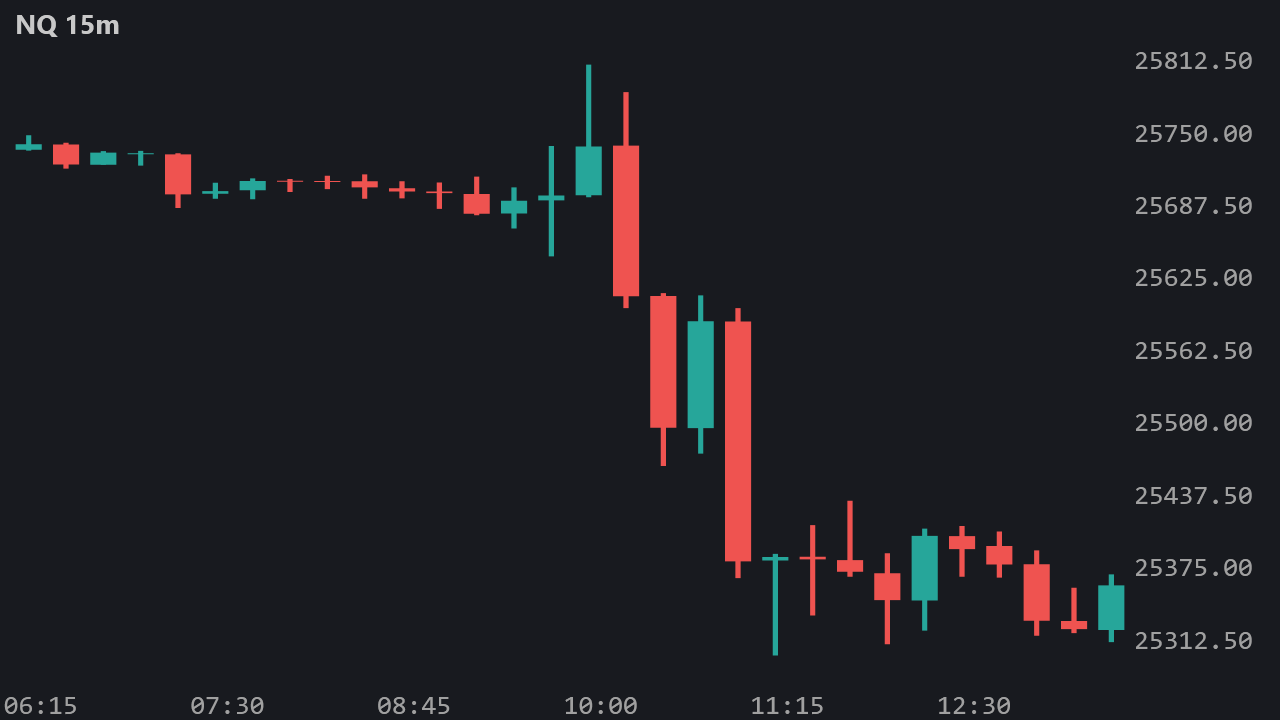
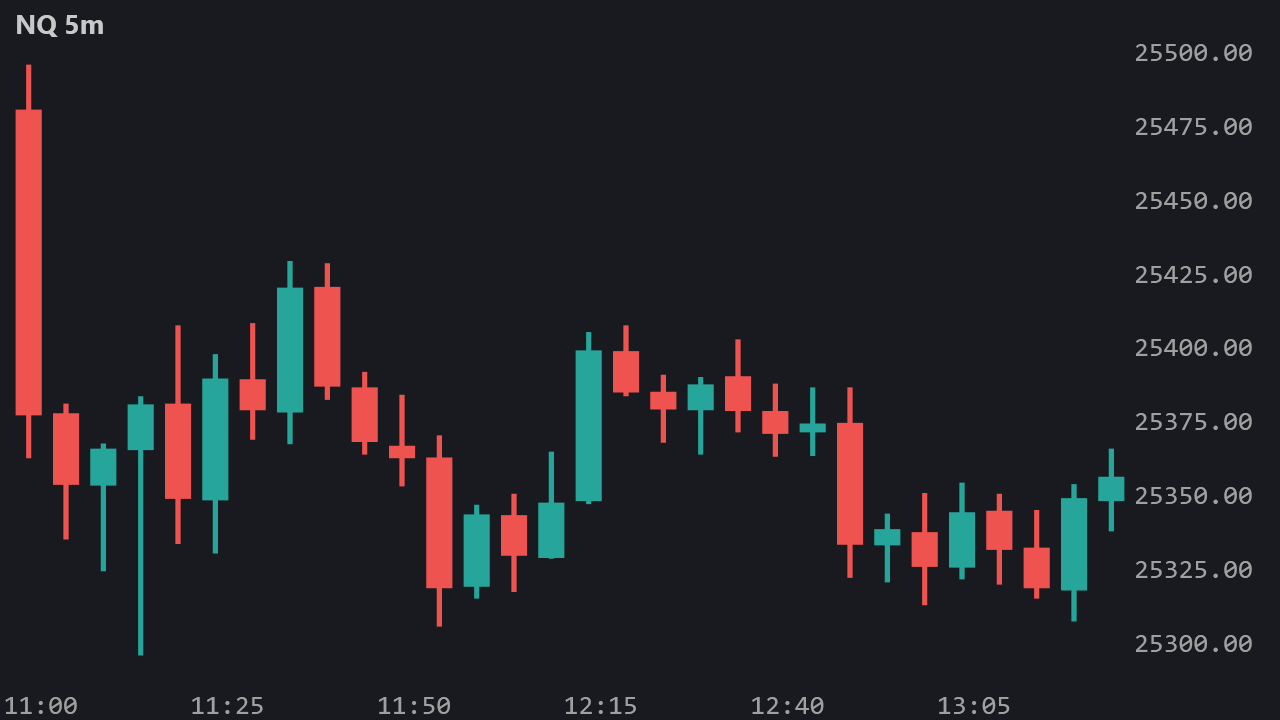
"Export NinjaTrader charts as PNG images for AI/ML vision model analysis."
Automatic chart export with off-screen rendering - works even when NT8 is minimized. Designed for AI vision systems that need clean, consistent chart images.
- Exports on bar close, not fixed intervals (intelligent detection)
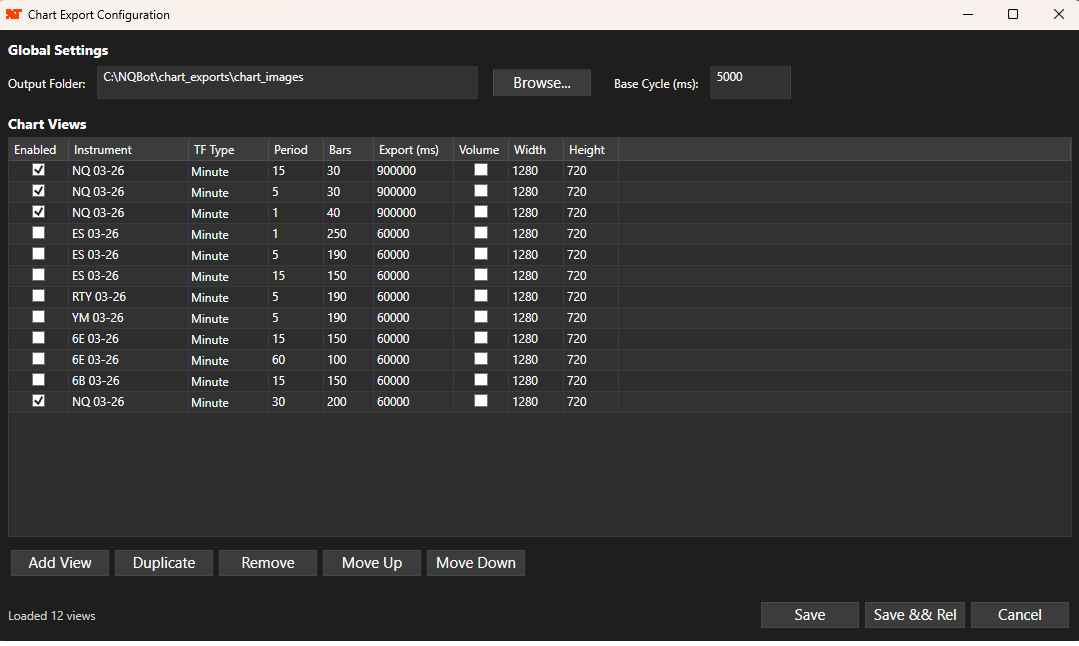
- Multiple instruments and timeframes simultaneously
- Off-screen WPF rendering - no visible windows required
- Tick-aligned price axis respects native tick size
- JSON metadata with timestamps and bar times
- Archive system for images for the purpose of AI training
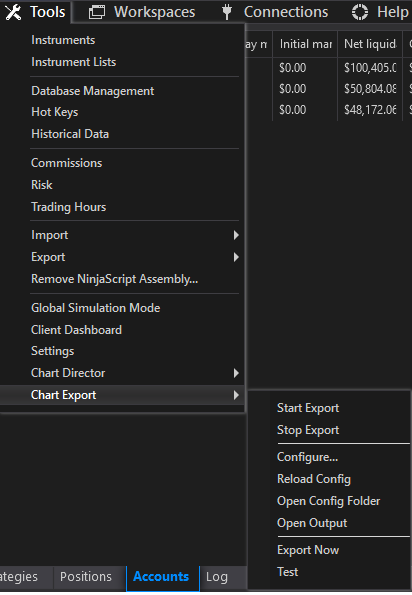
- GUI configuration via Tools menu with DataGrid editor
StrategyManagerAddOn AddOn
"Enable or disable every strategy on the Strategies tab with one click."
Running 20-40 strategies means every restart, recompile, or session break turns into minutes of checkbox clicking. This addon adds Enable All Strategies and Disable All Strategies to the Control Center Tools menu - one click, done.
- Drives NT8's real internal enable/disable pipeline - strategies genuinely start and stop, not just checkbox visuals
- Engine-state aware: skips strategies already in the target state
- Skips rows whose account is disconnected (reported, not failed)
- Summary popup plus per-strategy log lines in NinjaScript Output
- Built-in fallback path for future NinjaTrader builds
- Single .cs file, MIT licensed, no external dependencies
Installation Instructions
- Download the
.zipfile for the indicator you want - Extract the
.csfile from the zip - Copy the
.csfile to:Documents\NinjaTrader 8\bin\Custom\Indicators\ - Restart NinjaTrader 8, or compile manually via Tools → New NinjaScript → Compile
- Add indicators to charts: Right-click chart → Indicators → Look under PhillyFranksTools
For AddOns: Use Tools → Import → NinjaScript Add-on... and select the ZIP file directly.
Verify your download: Compare its SHA-256 digest with the published checksum manifest before importing it into NinjaTrader.